Fermi GBM Catalogs (gdt.missions.fermi.gbm.catalogs)
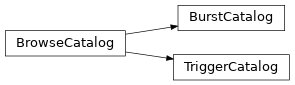
The HEASARC hosts two main GBM catalogs: a Trigger Catalog that contains information about every GBM trigger, and a Burst Catalog that contains standard analysis of every triggered GRB. HEASARC provides a way to search these catalogs online through their Browse interface, but we offer a way to do it in Python through the Data Tools.
Let’s look at the trigger catalog first:
>>> from gdt.missions.fermi.gbm.catalogs import TriggerCatalog
>>> trigcat = TriggerCatalog()
Sending request and awaiting response from HEASARC...
Downloading fermigtrig from HEASARC via w3query.pl...
Finished in 9 s
>>> trigcat
<TriggerCatalog: 29 columns, 8954 rows>
Depending on your connection, initialization may take a few seconds. You can see what columns are available in the catalog:
>>> print(trigcat.columns)
('VERSION', 'TRIGGER_NAME', 'NAME', 'RA', 'DEC', 'TRIGGER_TIME',
 'TRIGGER_TYPE', 'RELIABILITY', 'ADC_HIGH', 'ADC_LOW', 'BII',
 'CHANNEL_HIGH', 'CHANNEL_LOW', 'DEC_SCX', 'DEC_SCZ', 'DETECTOR_MASK',
 'END_TIME', 'ERROR_RADIUS', 'GEO_LAT', 'GEO_LONG', 'LII',
 'LOCALIZATION_SOURCE', 'PHI', 'RA_SCX', 'RA_SCZ', 'THETA', 'TIME',
 'TRIGGER_ALGORITHM', 'TRIGGER_TIMESCALE')
You can also return the range of values for a given column:
>>> trigcat.column_range('error_radius')
(0.0, 93.54)
If you only care about specific columns in the table, you can return a numpy record array with only those columns. Let’s return a table with the trigger name and time for every trigger:
>>> trigcat.get_table(columns=('trigger_name', 'trigger_time'))
rec.array([('bn120403857', 56020.856927  ),
           ('bn140912846', 56912.8458758 ),
           ('bn120227725', 55984.72547517), ...,
           ('bn110201399', 55593.39942421),
           ('bn150705660', 57208.65994033),
           ('bn220403863', 59672.86295194)],
          dtype=[('TRIGGER_NAME', '<U11'), ('TRIGGER_TIME', '<f8')])
Importantly, we can make slices of the catalog based on conditionals. Let’s only select triggers with localization radii between 1.1 and 10 degrees:
>>> sliced_trigcat = trigcat.slice('error_radius', lo=1.1, hi=10.0)
>>> sliced_trigcat
<TriggerCatalog: 29 columns, 2675 rows>
>>> sliced_trigcat.get_table(columns=('trigger_name', 'trigger_time'))
rec.array([('bn120227725', 55984.72547517),
           ('bn141205018', 56996.01770616),
           ('bn170116238', 57769.23837106), ...,
           ('bn091012783', 55116.78267095),
           ('bn180304259', 58181.2588804 ),
           ('bn220810258', 59801.25834706)],
          dtype=[('TRIGGER_NAME', '<U11'), ('TRIGGER_TIME', '<f8')])
You can also slice on multiple conditionals, simultaneously. Select everything that has a localization radius between 1.1-10 degrees, and a trigger timescale of 64 ms:
>>> sliced_trigcat2 = trigcat.slices([('error_radius', 1.1, 10.0),
>>>                                   ('trigger_timescale', 64, 64)])
>>> sliced_trigcat2
<TriggerCatalog: 29 columns, 274 rows>
>>> sliced_trigcat2.get_table(columns=('trigger_name', 'trigger_time', 'error_radius'))
rec.array([('bn150806478', '2019-01-02 06:11:31.125',  6.3833),
           ('bn130623790', '2019-01-17 08:50:43.596',  4.63  ),
           ('bn171213061', '2019-01-18 22:29:49.932',  7.39  ),
           ....
           ('bn091012783', '2022-05-01 11:28:01.143',  2.45  ),
           ('bn180304259', '2022-05-04 00:15:42.682',  9.5   )],
          dtype=[('trigger_name', '<U23'), ('trigger_time', '<U23'),
          ('error_radius', '<f8')])
You’ll notice in the table listing that there are multiple datatypes.
We can also connect to the burst catalog in the same way we connected to the trigger catalog:
>>> from gdt.missions.fermi.gbm.catalogs import BurstCatalog
>>> burstcat = BurstCatalog()
Sending request and awaiting response from HEASARC...
Downloading fermigbrst from HEASARC via w3query.pl...
Finished in 75 s
>>> burstcat
<BurstCatalog: 306 columns, 3454 rows>
Again, this may take several seconds, largely because of how the HEASARC perl API works. One word about the Burst Catalog before you get overwhelmed: it has a lot of columns. Basically every parameter for every standard spectral model that is fit, for both a time-integrated spectrum and the spectrum at the peak flux. There is also T90, T50, flux, and fluence information on different timescales and energy ranges. All in all, there are 306 different columns.
For more information on working with catalogs, see The BrowseCatalog Class.
Reference/API
gdt.missions.fermi.gbm.catalogs Module
Classes
|
Class that interfaces with the GBM Trigger Catalog via HEASARC Browse. |
|
Class that interfaces with the GBM Burst Catalog via HEASARC Browse. |
Class Inheritance Diagram